LayoutSplat · Ebooks and EPUB
LayoutSplat v0.7.0 creates EPUB 3 ebooks and imports supported EPUB 2/3 books locally. Open File → Templates → Ebooks for three original, editable starters: The Quiet Journey (novel), A Field Guide to New Ideas (nonfiction), and Small Wonders (illustrated story). Each has a cover, title page and two chapter pages, with example text in the six publication languages.
Write and organize
Edit stories with the existing visual rich-text editor and replace illustrations with your own pictures. In the right panel's Reading order, select a text item and choose an Ebook heading level (H1–H6), or Body text. Mark chapter titles as H1 and subsections as H2/H3. The EPUB contents navigation uses these headings; source page sections provide fallback navigation when headings are absent. Earlier/Later changes reading order without moving the page artwork. Omit from reading edition excludes an item from reflowable EPUB and reading HTML.
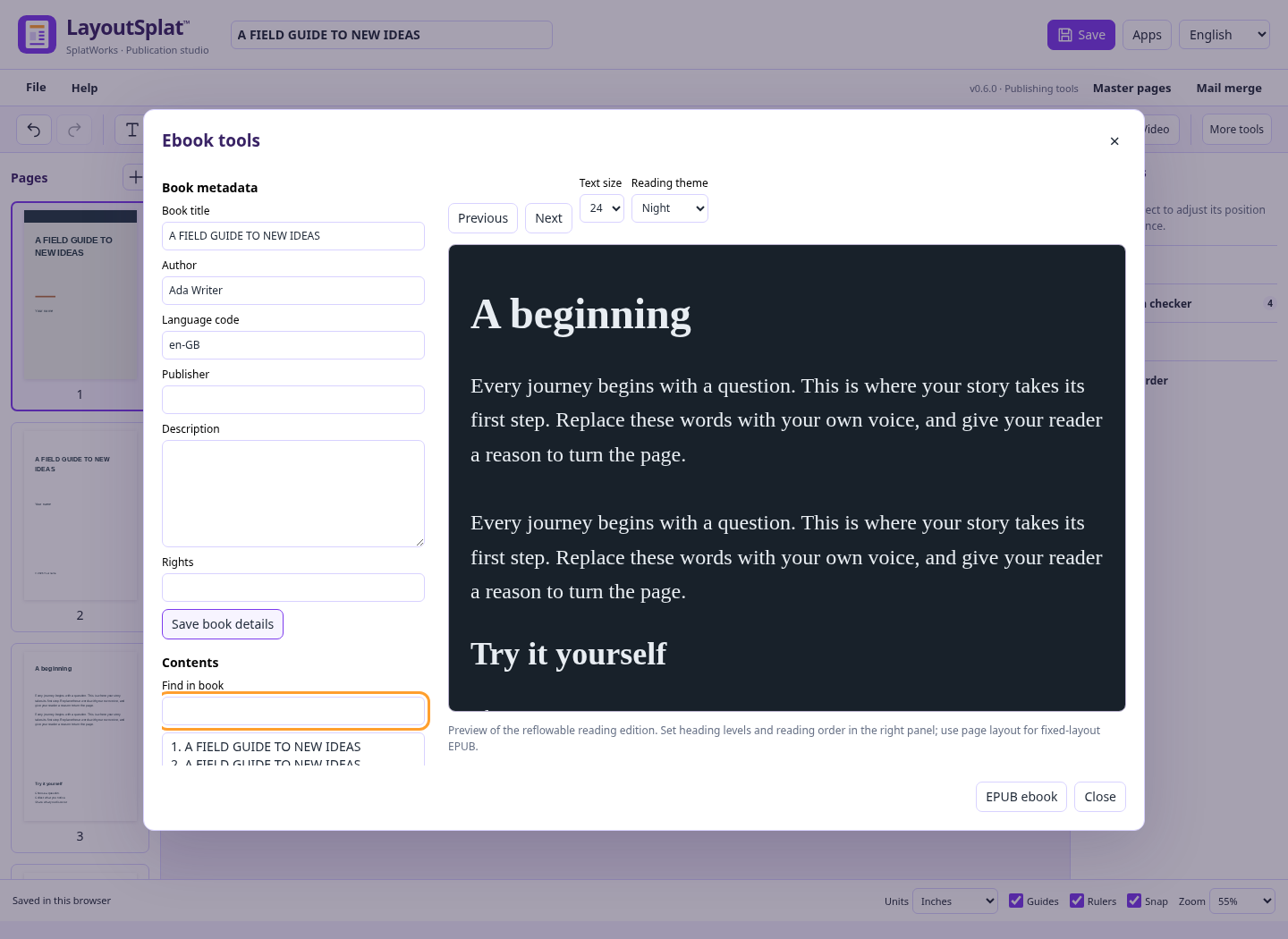
File → Ebook tools opens book title, author, language code, publisher,
description and rights. Save book details saves them into the native project
and supports undo. Use a language code such as en, es, vi, ar, zh or
hi; the publication's Hindi UI identifier is converted to hi automatically.
Save the .layoutsplat project to preserve these details and complete editing.
The ebook workspace combines a searchable contents outline with a reading preview. Select a section or use Previous/Next, choose 16–28 pixel text, and switch Paper/Sepia/Night themes. Edit selected text returns to the page and opens its first editable reading story. Reading themes and size affect preview; the exported ebook remains adjustable in the reader. The preview is isolated and does not run book scripts or load external resources.
Export
Choose File → Export → EPUB ebook. Set a page range, or leave it blank for all pages, then choose the ebook layout and Download.
| Layout | Content | Best suited to |
|---|---|---|
| Reflowable | Selectable rich text, packaged pictures and tables in reading order; heading navigation | Novels, guides and text-led books |
| Source book | Saved XHTML/CSS, local fonts and images, chapter links, footnotes and imported navigation | Editing an imported EPUB without rebuilding its source structure |
| Fixed layout | Each selected page becomes a PNG picture at the chosen resolution, with EPUB page dimensions | Illustrated books and exact page compositions |
Reflowable EPUB includes each linked story once and includes its complete text, including text that overflows its page frames. Selecting a page containing a continuation frame therefore includes that whole story. Decorative shapes and master-page furniture are omitted. Pictures use their embedded source image; page crops, masks, overlapping artwork and image effects are not reproduced in the reading edition. Motion media use poster images. Fonts are not embedded. Readers choose fonts, type size and page breaks. Review reading order and picture descriptions in Ebook tools before publishing.
Fixed-layout EPUB retains page appearance as pictures. Its text is not selectable
or individually editable. An unchanged exported EPUB reimports as picture pages;
use the native .layoutsplat project for editable text and objects. Bleed, crop
marks and ICC profiles do not apply to EPUB output.
The page-derived layouts contain EPUB package metadata, a manifest, spine, XHTML contents navigation and an NCX fallback. Reflowable navigation includes nested heading links. No native project or original Publisher source is embedded in an EPUB. The package follows the W3C EPUB 3.3 specification. Check the book in the readers you intend to support; package validation does not certify accessibility or bookstore acceptance.
Import
Choose File → Import → EPUB — ebook text and pictures, or choose an EPUB through Open LayoutSplat project. Unencrypted EPUB 2/3 content is read in spine order. Supported text becomes native stories with linked continuation frames; headings, basic bold/italic/underline, supported CSS text styles and external HTTP(S)/email links remain editable. Packaged images become native image objects. Text before and after an inline picture keeps its reading order. Table cell text becomes paragraphs. Book metadata is retained.
Import creates two editions. The page edition repaginates supported text and pictures into editable frames. The source edition, available for supported reflowable XHTML books, separately retains sanitized XHTML, supported CSS, local pictures, unencrypted fonts, IDs, links, footnote/endnote markup, nonlinear chapters and imported EPUB 3 navigation. Page edits and source edits are independent; choose the corresponding edition at export. Original complex CSS can render differently between readers.
Single-picture fixed-layout pages retain their appearance. Other fixed-layout text repaginates; fixed-layout imports do not create a source edition. Scripts, forms, SVG/MathML source content, remote resources, audio/video and media overlays are omitted. DRM content is rejected; only the specific encrypted/obfuscated font resources are excluded. Missing required chapters or invalid markup leave the current publication intact. Local CSS imports are expanded with depth/size limits; remote imports are discarded. Source capture can be unavailable for books outside the supported subset; the conversion report explains this.
Edit the source edition
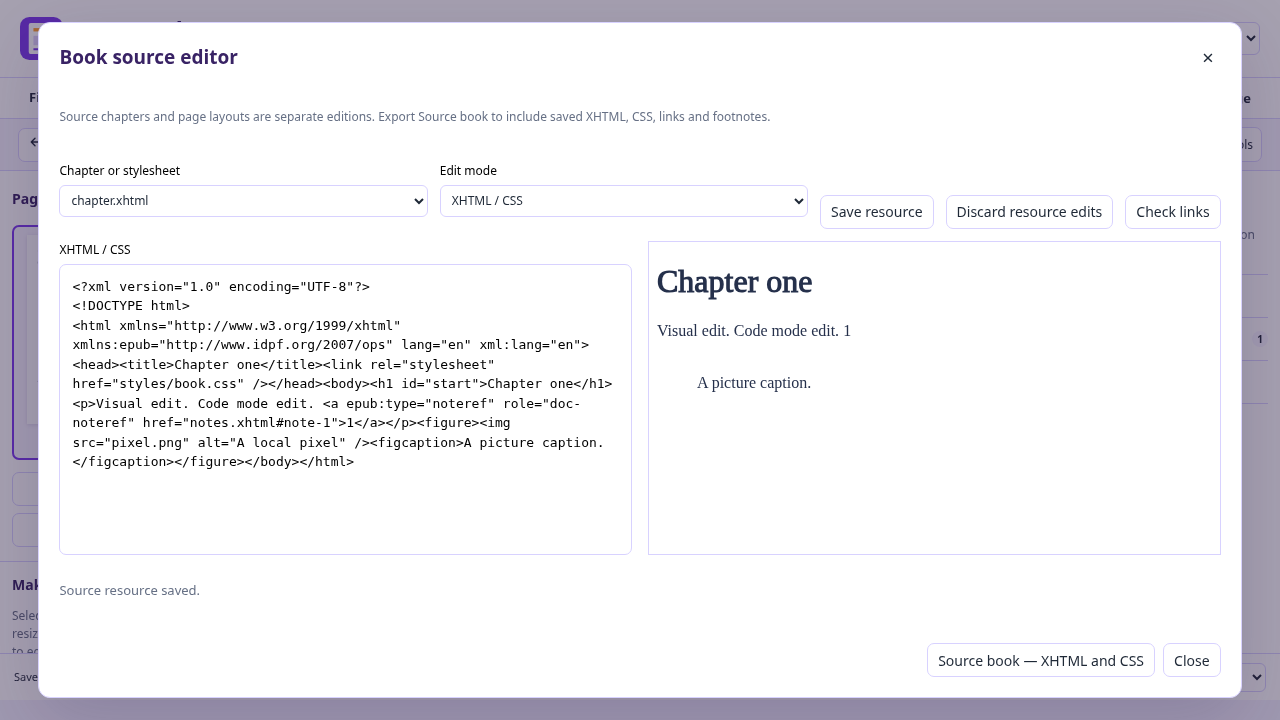
Open File → Ebook tools → Book source editor. For an existing page publication, LayoutSplat first creates a source edition from its reading export. Choose a chapter or stylesheet, edit XHTML / CSS, then choose Save resource. Chapter markup must be well-formed XHTML with unique IDs; invalid changes leave the saved resource intact and keep the editor open. Visual chapter lets you edit the chapter body in an isolated preview. Switching resources/modes or closing saves valid pending edits. Discard resource edits restores the saved resource. Native save, recovery and undo retain source resources.
Check links checks packaged paths and fragment IDs, including links to nonlinear footnotes and backlinks. Preview clicks can move between chapters. External links are retained in the exported book but disabled in the preview; the preview cannot execute scripts or load network resources. Source CSS uses a supported property/rule allowlist, not every browser CSS feature. Source import retains the original EPUB 3 navigation document when present; otherwise source export generates chapter navigation. EPUB 2 NCX-only contents are rebuilt from source chapters.
Choose Source book — XHTML and CSS in EPUB export to include saved source edits. It exports the complete source book; page-range, ppi, bleed and ICC controls do not apply. Unsaved page-canvas changes are not copied into this edition.
The source edition preserves supported semantic note markup; it does not provide an annotation database or synchronized narration editor. EPUBCheck and link checks do not certify accessibility or bookstore acceptance.
Import limits: 96 MB compressed file, 5,000 archive entries, 8 MB per XML/XHTML component, 2 MB per stylesheet, two million total text characters, 100,000 characters per native story, 500 publication pages and 500 pictures. Very large individual paragraphs or unusually elaborate styling can exceed native story range limits; split those chapters in an EPUB editor first. Export allows up to 128 MB of embedded pictures and the app's existing page image limits.
Related ebook workflows
The book metadata, heading navigation and visual editing workflow draws on useful patterns from Sigil and PageEdit. Reader controls draw on patterns in epub.js, Foliate.js and InkWeave. This implementation uses LayoutSplat's existing editor and local ZIP/markup tooling; it does not bundle those applications or copy their implementation. LayoutSplat now includes its own XHTML/CSS and visual chapter editing. Sigil/PageEdit remain useful for advanced ebook workflows; independent acceptance evidence is recorded in release verification.